
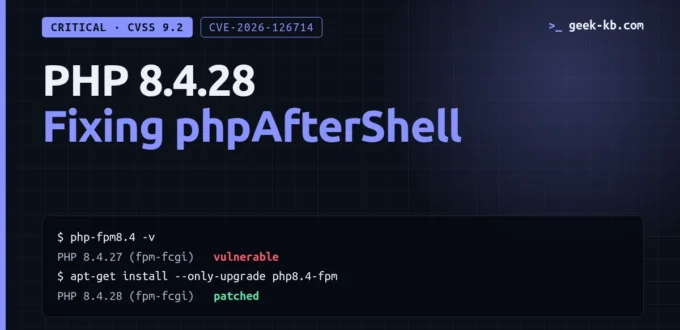
In short: To fix the PHP 8.4 vulnerabilities disclosed in November 2026, install the PHP 8.4.28 security update (released November 19, 2026) and restart PHP-FPM and every other long-running PHP process. Until you can update, disable session upload progress and FastCGI connection reuse.
On November 19, 2026 the PHP project shipped one of its heaviest security releases in years: PHP 8.4.28, together with 8.5.13, 8.3.37 and 8.2.36. The release closes seven critical vulnerabilities (CVSS 4.0 score 9.2 each), five of which affect PHP 8.4. The best known is phpAfterShell (CVE-2026-126714), a flaw in PHP’s default session handler that can end in remote code execution.
If you run PHP 8.4 in production, this guide to the PHP 8.4.28 security update shows how to check whether you are exposed, how to patch, and what to change in your configuration if you cannot patch today.
What the PHP 8.4.28 Security Update Fixes
The 8.4.28 changelog contains 14 security entries. These are the five critical ones that apply to the 8.4 branch:
- CVE-2026-126714 (phpAfterShell) — the default files session handler writes session files non-atomically. If a write is interrupted (memory limit, timeout), a partly overwritten file can later be read back as objects. With attacker-shaped session data and a usable gadget chain in the application, this leads to code execution as the PHP worker user. Redis, Memcached and database session stores are not affected.
- CVE-2026-115560 — session serializer mismatch. When a session is written with one serializer and read with another (PHP has three: php, php_binary and php_serialize), the upload-progress feature can be abused for object injection.
- CVE-2026-129289 — PHP-FPM request smuggling. Unread request-body bytes on a reused FastCGI connection are parsed as a second request. Only relevant when the web server keeps FastCGI connections open.
- CVE-2026-129496 — use-after-free in the timezone cache of the date extension. Reachable when PHP logs a startup warning (for example an invalid date.timezone) to a file-based error_log.
- CVE-2026-129481 — use-after-free after an interrupted session shutdown. This is an incomplete fix from the October release; there is no configuration switch that avoids it.
In addition, the release fixes a local privilege escalation in the FPM master process (CVE-2026-129291), a PHAR signature bypass, an XSS in the FPM status page and several SOAP and DOM memory bugs.
As of November 20, 2026 no exploitation in the wild has been reported. That usually does not last long once the patches are public, so treat this as urgent.
Step 1: Check Which PHP Version Actually Serves Your Site
The most common mistake is running php -v and stopping there. That command reports the CLI binary, not necessarily the FPM workers that serve web requests.
# CLI version
php -v

# FPM version (Debian / Ubuntu naming)
php-fpm8.4 -v

# Installed package versions
dpkg -l 'php8.4*' | awk '/^ii/ {print $2, $3}'

# Inside a container
docker run --rm --entrypoint php <your-image> -v
You are patched if the FPM binary reports 8.4.28 or later. Note that the October releases (8.4.27, 8.5.12, 8.3.36, 8.2.35) do not include these fixes, even though they were security releases too.
One exception: distributions sometimes backport fixes without changing the upstream version number. On Debian trixie the fixed package is 8.4.28-1~deb13u1. If your distribution ships its own PHP build, check its security tracker rather than relying on the version string alone.
Step 2: Update PHP 8.4
Ubuntu and Debian (ondrej/sury packages)
sudo apt-get update
apt-cache policy php8.4-fpm

sudo apt-get install --only-upgrade -y \
  -o Dpkg::Options::="--force-confold" \
  $(dpkg -l 'php8.4*' | awk '/^ii/ {print $2}')
The –force-confold option keeps your existing php.ini and pool files instead of replacing them with the package defaults.
Docker
Running containers do not update themselves. Rebuild with a fresh base image and redeploy:
docker build --pull -t my-app:latest .
docker compose up -d
docker compose exec php php-fpm -v
Be careful with floating tags: some latest PHP images moved to PHP 8.6.0, which was released the same day. If you are not ready for a new minor version, pin the tag to 8.4.
Managed and shared hosting
You usually cannot upgrade PHP yourself. Open the PHP version selector in your hosting panel, or ask support directly whether 8.4.28 has been rolled out to your server.
Step 3: Restart Every PHP Process
Installing the package is not enough. Old workers keep the vulnerable code in memory until they are restarted.
sudo systemctl restart php8.4-fpm

# If you use mod_php
sudo systemctl restart apache2
Do not forget long-running CLI processes: queue workers, schedulers, Laravel Horizon or Octane, and anything managed by Supervisor.
Step 4: Mitigations If You Cannot Patch Today
These settings reduce exposure. They are not a replacement for the update, and none of them covers CVE-2026-129481.
Disable session upload progress
Set this in php.ini or in the FPM pool file. Setting it with ini_set() in application code is too late to help.
; php.ini
session.upload_progress.enabled = 0

; or in the FPM pool (www.conf)
php_admin_flag[session.upload_progress.enabled] = off
This closes the known path for CVE-2026-115560 and one path for phpAfterShell. It does not fully protect against CVE-2026-126714 if your application stores attacker-controlled data in sessions by other means.
Stop reusing FastCGI connections
Find out whether your web server keeps connections to PHP-FPM open:
sudo grep -rn "fastcgi_keep_conn" /etc/nginx/
sudo grep -rn "enablereuse" /etc/apache2/
In nginx, remove fastcgi_keep_conn on; or set it to off. In Apache mod_proxy_fcgi, set enablereuse=off. Default setups that close the connection after each request are not affected by CVE-2026-129289.
Check the session handler
grep -rn "session.save_handler" /etc/php/8.4/fpm/
grep -rn "serialize_handler" /etc/php/8.4/fpm/ /var/www/
If session.save_handler is files (the PHP default), the phpAfterShell code path exists on your server. Mixed serialize_handler values between pools or applications that share a session directory are the precondition for CVE-2026-115560.
Clean up startup warnings
For CVE-2026-129496, fix whatever PHP complains about at startup (an invalid date.timezone is the typical case), or send errors to syslog instead of a file. Then restart the FPM master.
What About PHP 8.1 and Older?
PHP 8.1 and earlier are end of life and receive no upstream release. Some third-party repositories publish backported package revisions, and commercial extended support exists, but the reliable answer is to move to a supported branch. Keep in mind that PHP 8.2 itself reaches end of life on December 31, 2026.
Quick Checklist
- Confirm the FPM binary, not just the CLI, reports 8.4.28 or later.
- Update the PHP packages or rebuild your container images.
- Restart FPM, Apache and all long-running PHP workers.
- Until patched: disable session.upload_progress.enabled and FastCGI connection reuse.
- Make sure pm.status_path is not reachable from the internet.
- Watch for web workers spawning shell processes and for FPM access-log entries with no matching web server request.
Conclusion
The fix for the PHP 8.4 vulnerabilities is simple: upgrade to 8.4.28 and restart every PHP process. The configuration changes above buy you time, but several of the flaws have no workaround at all. If you manage more than one server, start with the ones that use file-based sessions and accept file uploads, since those are the most exposed to phpAfterShell.
Frequently Asked Questions
Which PHP version fixes phpAfterShell (CVE-2026-126714)?
PHP 8.4.28, 8.5.13, 8.3.37 and 8.2.36, all released on November 19, 2026. The October releases (8.4.27, 8.5.12, 8.3.36 and 8.2.35) do not contain the fix.
How do I know if my server is vulnerable?
Check the version of the PHP-FPM binary that serves your site, not only the command-line binary. Anything below 8.4.28 on the 8.4 branch is vulnerable, unless your distribution backported the fix into its own package.
Is there a workaround if I cannot update PHP today?
Partly. Setting session.upload_progress.enabled to 0 and turning off FastCGI keep-alive in the web server reduce exposure, but they do not cover every flaw. CVE-2026-129481 has no configuration workaround, so the update is still required.
Are Redis or database sessions affected by phpAfterShell?
No. CVE-2026-126714 is in the default files session handler. Sessions stored in Redis, Memcached or a database are not affected by that specific flaw, although the other vulnerabilities in the release still apply.
Is PHP 8.1 getting a fix?
Not from the PHP project. PHP 8.1 and older are end of life. Some third-party package repositories publish backports, but the dependable fix is to move to a supported branch.
Related articles: for more on keeping servers safe, see our guides on catching vulnerable packages in CI/CD with Syft and Grype and the Heartbleed to-do list.
Sources: PHP 8 ChangeLog (8.4.28), Laravel Forge PHP security advisory, Cycode on phpAfterShell.