
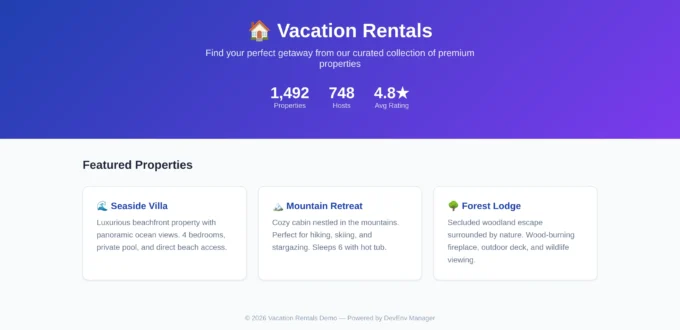
If you’ve ever managed PHP+MySQL websites — whether WordPress, Laravel, Drupal, or a custom CMS — you know the pain. As a result, testing a feature means either editing production and praying, or spending hours manually setting up a dev environment that’s already outdated by the time it’s ready.
Consequently, after years of managing multiple PHP websites and burning myself with untested deployments, I built DevEnv Manager — an open-source CLI tool that creates isolated, Docker-based development environments for any PHP+MySQL website in under 5 minutes. Most importantly, it requires no changes to production and no manual Docker configuration — just one command.
devenv create dev --code-dir ./public_html
In return, you get a fully functional copy of your site with its own database, its own URL, a color-coded environment badge, and phpMyAdmin — all running in Docker.
Table of Contents
The Problem This Solves
In most cases, the typical PHP developer’s workflow for testing changes looks something like this:
- Edit production directly — works until it doesn’t. One bad deployment and your live site is down.
- Manual staging setup — create a subdomain, clone the database, configure Apache, set up SSL… repeat for every feature branch.
- Local Docker — great, but your Docker setup doesn’t match production’s PHP version, extensions, or data.
- Paid staging services — expensive and still require manual configuration.
However, DevEnv Manager eliminates all of these pain points. First, you define your project once in a devenv.yml file, and the tool handles everything: Docker containers matching your production PHP version, database snapshots with anonymized data, nginx reverse proxy configuration, and even a visual badge system so you never accidentally mistake a dev environment for production.
Architecture Overview
Production Server (untouched)          Your VPS (DevEnv Manager)
========================               ============================

www.client-site.com ──────────────────> nginx reverse proxy
  (PHP + MySQL)                          │
                                         ├── dev.client.yourvps.com  ──> Docker: PHP+MySQL
                                         ├── qa.client.yourvps.com   ──> Docker: PHP+MySQL
                                         ├── demo.client.yourvps.com ──> Docker: PHP+MySQL
                                         │
                                         └── /switch/  ──> Web Dashboard
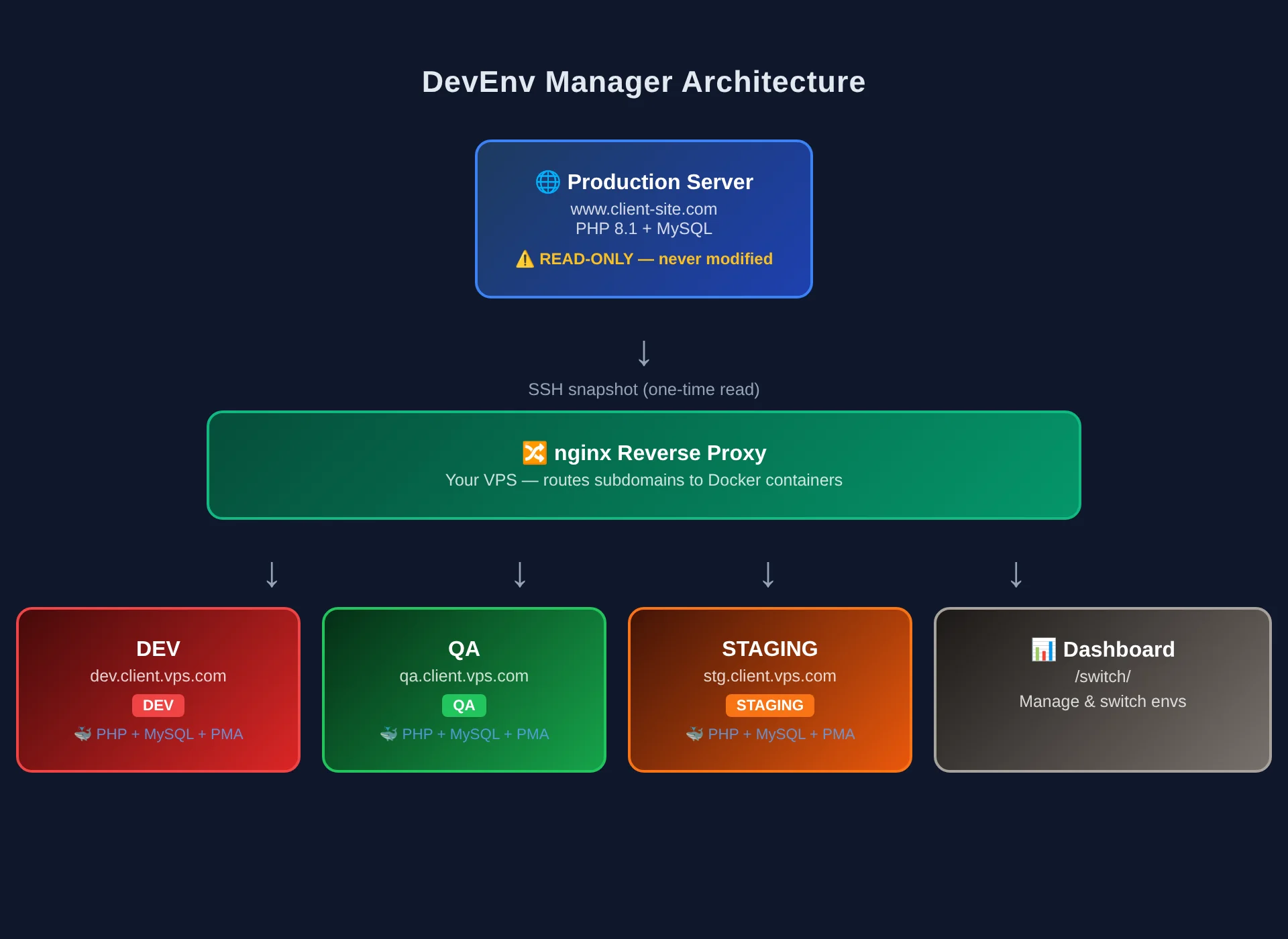
The key principle here is that production is read-only. In other words, DevEnv Manager never writes to, deploys to, or modifies the production server. Instead, it only reads from production to create snapshots, while all development happens on the VPS.
Quick Start
Prerequisites
- Linux VPS (Ubuntu 20.04+)
- Docker + Docker Compose v2
- Python 3.8+
- nginx (for remote environments)
Installation
git clone git@github.com:sugshel/devops-toolkit.git
cd devops-toolkit/packages/dev-env
pip install -e .
Create Your First Environment
Initialize a project:
devenv init
This command walks you through an interactive setup and subsequently generates a devenv.yml configuration file. For example, here’s what a typical config looks like:
project: my-website
production:
  url: https://www.my-website.com
  ssh: user@my-website.com
  php_version: "8.1"
  db:
    host: localhost
    name: mysite_db
    user: mysite_user
    password_env: MYSITE_DB_PASS

environments:
  primary_domain: dev.mysite.yourvps.com
  max_environments: 5
  defaults:
    external_services: false
    anonymize_data: true

badge:
  enabled: true
  colors:
    dev: "#ef4444"
    qa: "#22c55e"
    staging: "#f97316"
Next, create an environment:
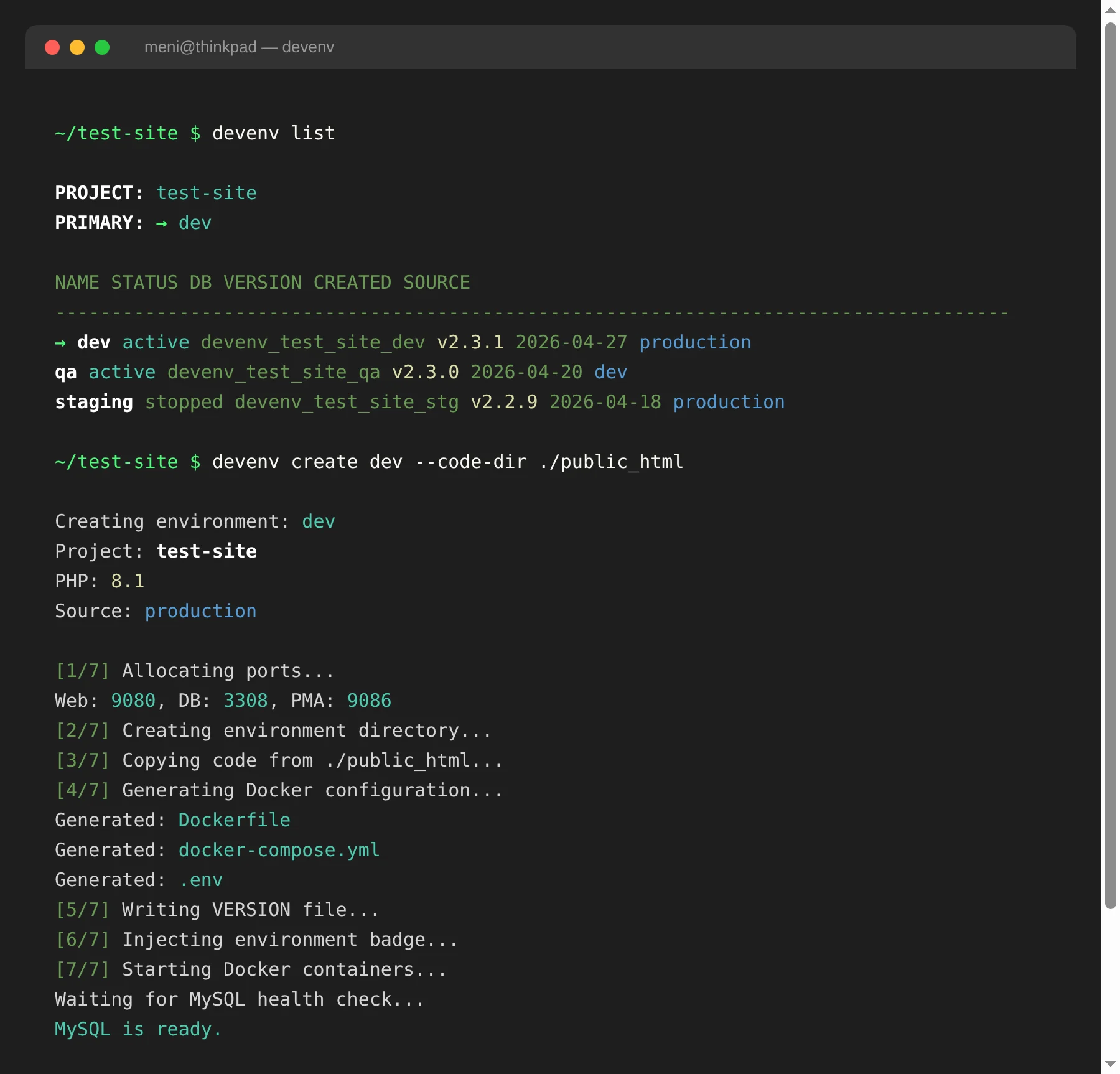
devenv create dev --code-dir ./public_html
As a result, this single command performs the following steps:
- Allocates non-conflicting ports (web, database, phpMyAdmin)
- Generates a Dockerfile matching your production PHP version
- Generates a
docker-compose.ymlwith web, MySQL, and phpMyAdmin services - Copies your codebase into the environment
- Injects the environment badge into your header files
- Starts all Docker containers
- Waits for MySQL health check
- Registers the environment in the project registry
The Badge System — The Killer Feature
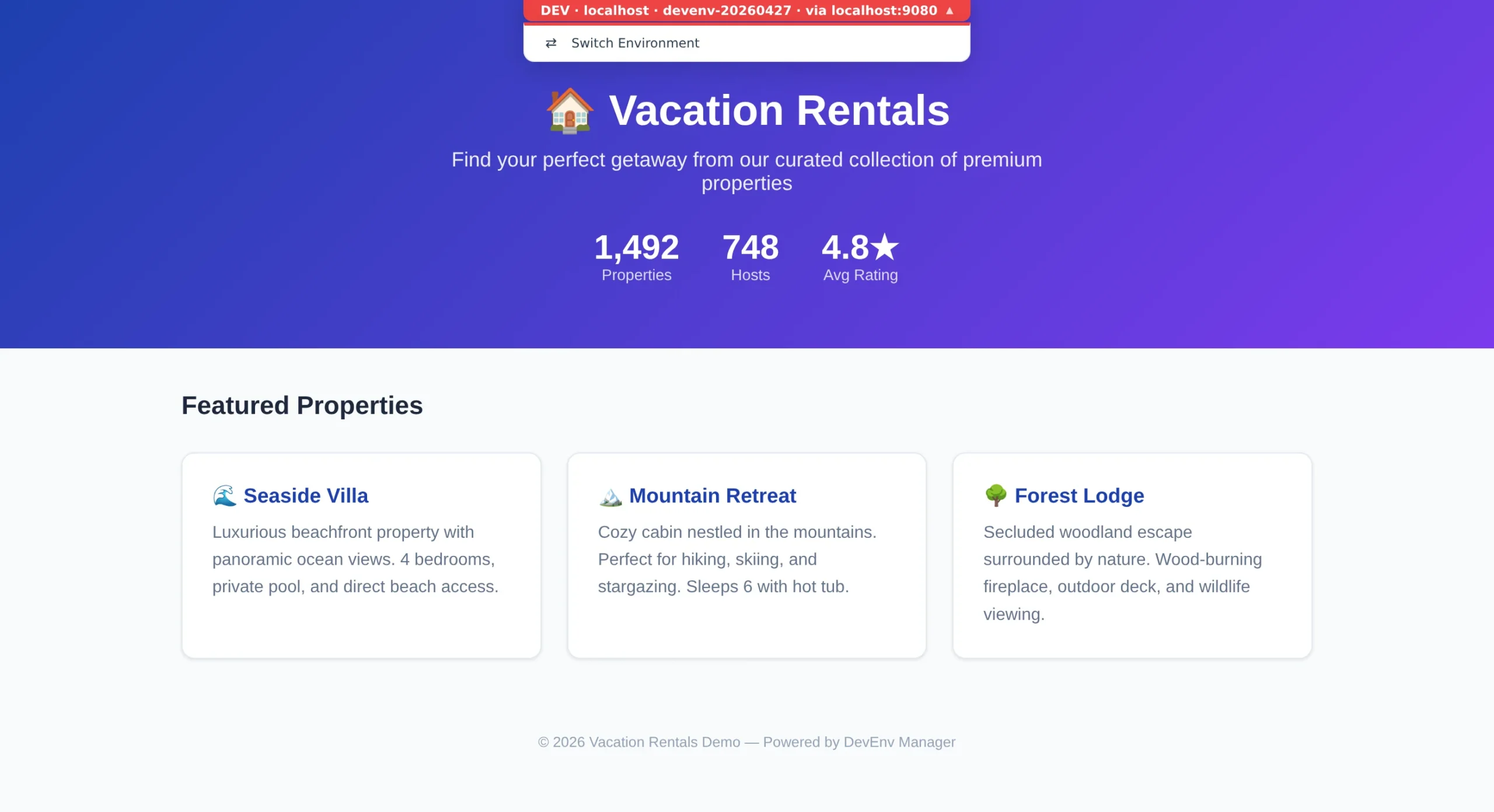
Notably, every dev environment gets a color-coded badge fixed at the top center of every page. Specifically, the badge shows:
- Environment name (DEV, QA, STAGING, DEMO)
- Hostname (the URL you’re accessing)
- Version (from git tags or a VERSION file)
- “via” indicator (when accessing through a proxy)
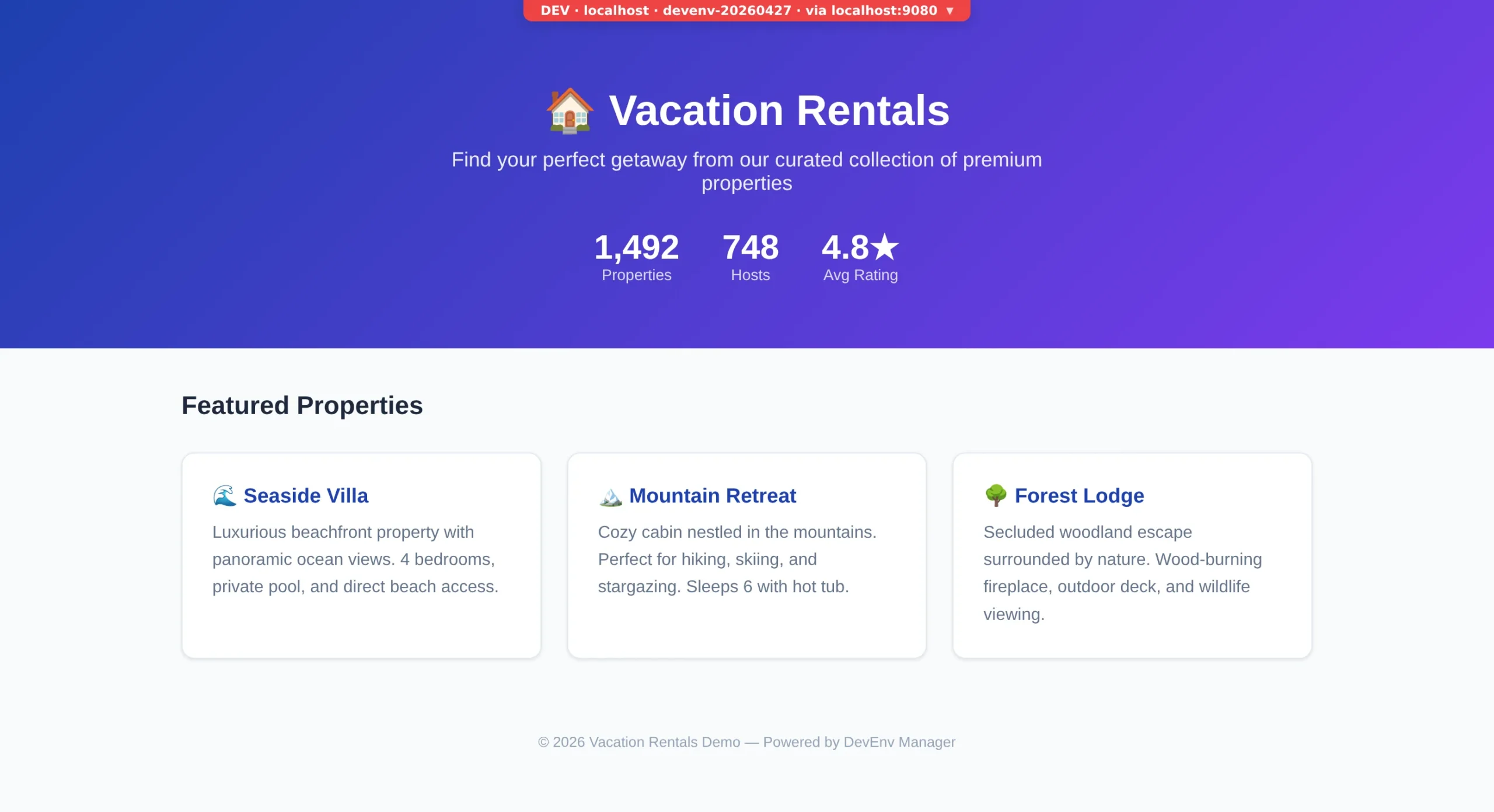
Furthermore, the badge is pure PHP — no JavaScript dependencies, no external CSS, and it works with any PHP version from 7.1 to 8.3. Since it reads APP_ENV and WEBSITE_URL environment variables, it never renders on production where these vars aren’t set.
Additionally, clicking the badge opens a dropdown with configurable quick links — for instance, switching environments, opening phpMyAdmin, checking QA status, or anything else you define in devenv.yml.
Auto-Detection
Moreover, DevEnv Manager automatically detects your framework and finds the right file to inject the badge into:
- WordPress:
wp-content/themes/*/header.php - Laravel:
resources/views/layouts/*.blade.php - Drupal:
themes/*/templates/page.html.twig - Custom PHP: configurable path in
devenv.yml
In case auto-detection fails, you simply get a one-liner to add manually:
<?php @include_once(__DIR__ . '/.devenv-badge.php'); ?>
Environment Management
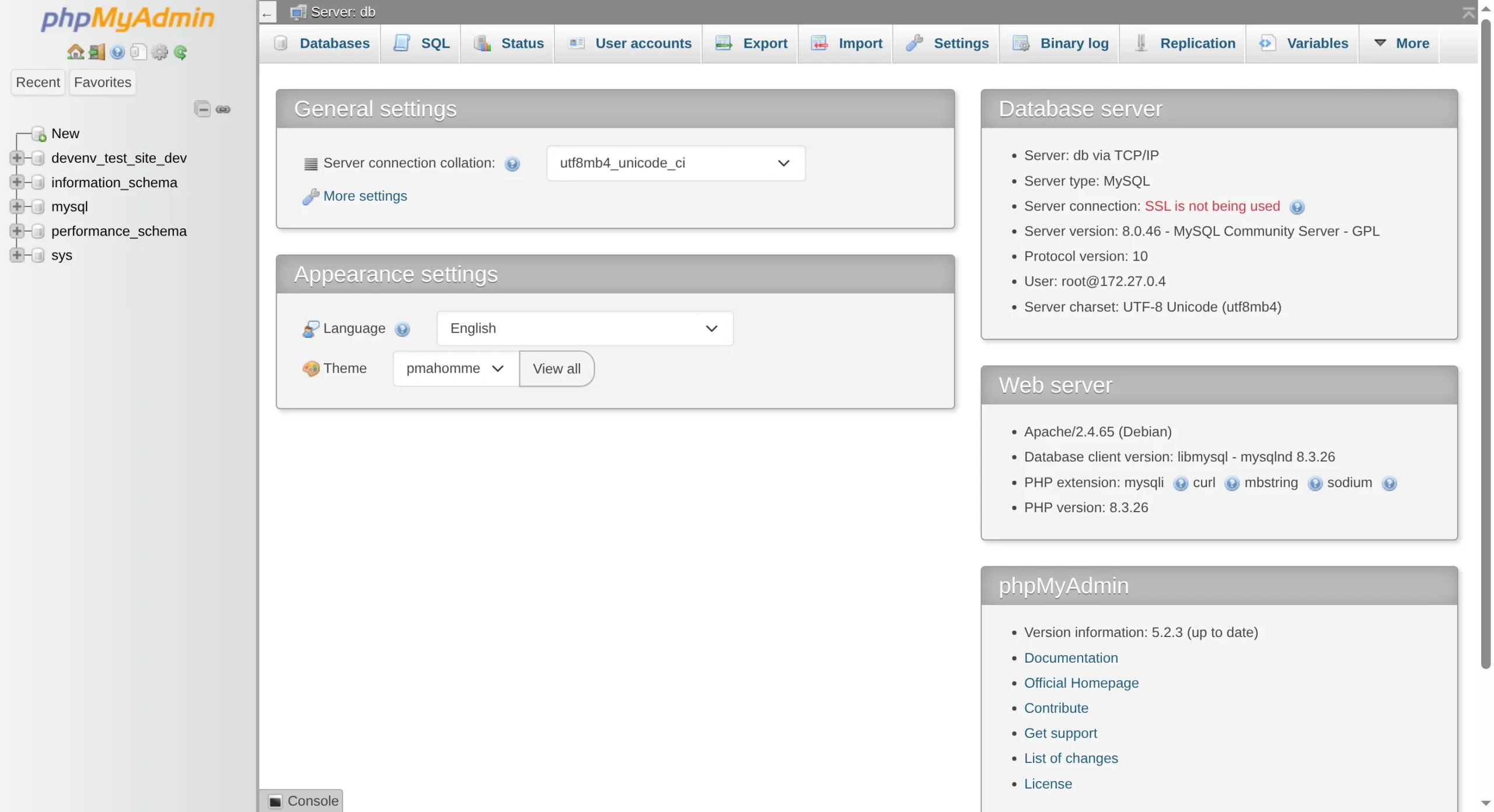
# List all environments
devenv list

# Output:
# PROJECT: my-website
# PRIMARY: → dev
#
#   NAME     STATUS   DB                   VERSION      CREATED       SOURCE
#   -----------------------------------------------------------------------
# → dev      active   devenv_mysite_dev    v2.3.1       2026-04-15    production
#   qa       active   devenv_mysite_qa     v2.3.0       2026-04-20    dev

# Switch which environment the primary domain points to
devenv switch qa

# Delete an environment (with confirmation)
devenv delete demo

# Take a production database snapshot
devenv snapshot --slim

# Check status across all projects
devenv status
Data Anonymization
When it comes to privacy, DevEnv Manager anonymizes PII during production data imports. Specifically, rules are defined per table in devenv.yml:
snapshot:
  anonymize:
    users:
      email: "user{id}@demo.example.com"
      phone: "050{id:07d}"
      name: "Demo User {id}"
      password: null    # Set all passwords to a known hash
    orders:
      billing_email: "order{id}@demo.example.com"
As a result, this generates SQL UPDATE statements that run after import. Meanwhile, the raw snapshot stays un-anonymized so you can re-import with different rules later.
Web Dashboard
In addition, DevEnv Manager includes a web dashboard served at /switch/ that lets you:
- See all environments with their status, ports, and versions
- Switch the primary domain between environments with one click
- Create new environments from the UI
- Delete environments (with double confirmation)
Essentially, the dashboard is a single HTML file with vanilla CSS and JavaScript — therefore, no build step, no framework, and no npm are required.
External Service Gating
Similarly, all environments have EXTERNAL_SERVICES_LIVE=false by default. As a result, your application code can check this variable to prevent dev environments from:
- Sending real emails
- Sending real SMS messages
- Calling payment gateways
- Posting to social media APIs
- Triggering webhooks
function devenv_services_live() {
    return getenv('EXTERNAL_SERVICES_LIVE') === 'true';
}
Technology Stack
Above all, the entire tool is built with minimal dependencies:
| Component | Technology |
|---|---|
| CLI + Core | Python 3.8+ (PyYAML + Jinja2 — only 2 dependencies) |
| Containers | Docker + Docker Compose v2 |
| Proxy | nginx with Let’s Encrypt SSL |
| Badge | Pure PHP (zero dependencies) |
| Dashboard | Vanilla HTML + CSS + JS (no build step) |
| API | Python stdlib http.server (zero external deps) |
In other words — no React, no webpack, no node_modules. Consequently, the entire tool installs in seconds.
What This Is NOT
- Not a CI/CD tool — it doesn’t deploy to production, ever
- Not a hosting platform — it’s a dev/staging tool on YOUR server
- Not a SaaS — self-hosted, open source, runs on any $5/month VPS
- Not framework-specific — works with WordPress, Laravel, Symfony, Drupal, or raw PHP
Real-World Usage
Originally, I built this tool while managing a vacation rental marketplace with 1,400+ property listings. Since the site runs PHP 7.1 on cPanel, I specifically needed a way to:
- Test features without risking the live site
- Give developers isolated environments with their own databases
- Instantly see which environment I’m looking at (the badge)
- Switch between feature-branch environments for QA
Since then, the tool has been battle-tested across multiple environments running simultaneously on a single Hetzner VPS, with environments for login redesign, developer workstations, and QA testing — all with independent databases and code branches.
Getting Started
git clone git@github.com:sugshel/devops-toolkit.git
cd devops-toolkit/packages/dev-env
pip install -e .
devenv init
devenv create dev --code-dir /path/to/your/site
# Visit http://localhost:9080
Furthermore, the repository includes example configurations for WordPress, Laravel, Drupal, and custom PHP sites in the examples/ directory.
Conclusion
In conclusion, DevEnv Manager fills a specific gap in the PHP ecosystem: isolated, production-mirror dev environments with zero manual Docker configuration. In fact, the badge system alone has saved me from deploying to the wrong environment more times than I’d like to admit.
Key Benefits
- One command to create a fully isolated dev environment
- Visual safety — color-coded badges make it impossible to confuse dev with production
- Framework-agnostic — works with any PHP codebase
- Minimal footprint — 2 Python dependencies, no build steps
- Privacy-safe — automatic PII anonymization for dev databases
Current Limitations
- No Windows support (Linux VPS only)
- Database snapshots require SSH access to production
- Badge auto-injection works best with standard framework layouts
- The web dashboard create endpoint is currently async (CLI is recommended for environment creation)
Related articles: If you’re interested in DevOps tooling, also check out our guides on structuring your Terraform codebase, integrating security scanning into CI/CD, and managing MySQL permissions.
Finally, the project is open source under the MIT license — pull requests are always welcome.